Context Menus

Context Menus are available by right-clicking in the IP Link Tree window on a:

  • Device Name

  • Control Port

  • Control Module

  • IR Port

Device Context Menu

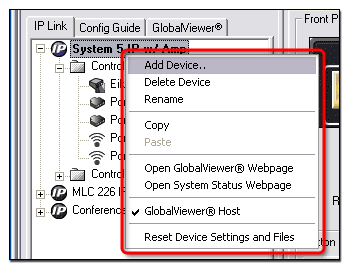
To open a device Context Menu:

  1. Position the cursor over a device name in the IP Link Tree window.

  2. Click the right mouse button.

Control Port Context Menu

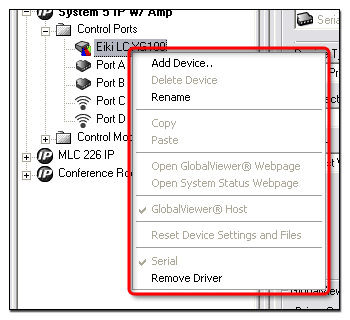
To open a Control Port Context Menu:

  1. Position the cursor over a Control Port in the IP Link Tree window.

  2. Click the right mouse button.

Control Module Context Menu

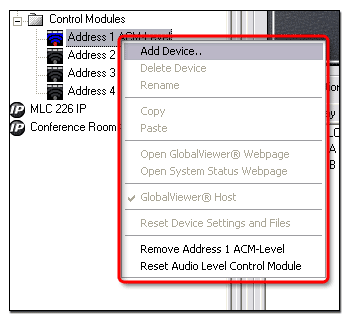
To open a Control Module Context Menu:

  1. Position the cursor over a Control Module in the IP Link Tree window.

  2. Click the right mouse button.

IR Port Context Menu

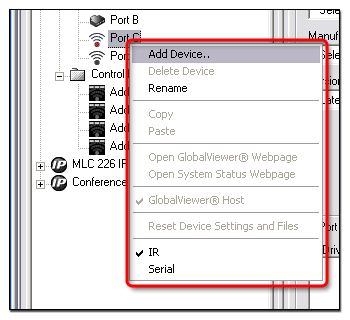
To open an IR Port Context Menu:

  1. Position the cursor over an IR Port in the IP Link Tree window.

  2. Click the right mouse button.